Introduction
If you’re diving into the world of custom firmware (CFW) with the Atmosphere Switch system, you’ve probably heard the terms SysNAND and EmuMMC. Understanding the difference between these two environments isn’t just technical; it’s the single most important decision you’ll make regarding the long-term safety of your console. One path leads to a high probability of an online ban, and the other creates a perfect, protected sandbox for your modding experiments.
In short, SysNAND is your console’s original, internal memory chip. EmuMMC (Emulated NAND) is a complete copy of that internal memory, hosted entirely on your external SD card.
This guide breaks down exactly why using EmuMMC is mandatory for all safe modding practices. We’ll cover how it works, what the performance trade-offs are, and what risks you expose yourself to by choosing to mod your SysNAND.
Key Takeaways
- EmuMMC is a virtual, isolated copy of the internal system memory (SysNAND) stored on your SD card.
- Using EmuMMC creates a necessary air gap between your modded environment and the clean environment Nintendo’s servers check.
- Modifying your SysNAND directly (installing CFW, homebrew, or unofficial content) is the fastest way to get permanently banned from Nintendo’s online services.
- Hekate is the primary bootloader used to manage and launch between your clean SysNAND and your isolated EmuMMC.
- While EmuMMC requires a significant portion of your SD card space, the safety benefits far outweigh the minor performance compromises.
What are SysNAND and EmuMMC?
To truly grasp why one setup is vastly superior to the other, you must first understand what each environment represents. The term NAND refers to the type of flash memory chip used inside the console to store the operating system, user data, and system-critical files. Think of it as the console’s permanent, internal hard drive. This concept is central to the entire Atmosphere Switch modding structure. When we talk about SysNAND and EmuMMC, we are talking about two distinct locations where that core operating system can live.
Why is SysNAND the dangerous default environment?
SysNAND is the console’s native, internal memory chip—the original factory environment. It is the one and only environment that Nintendo’s online services ever check. Every time you connect to the internet, your console sends logs and telemetry data to Nintendo. If you install any custom firmware files, run homebrew applications, or launch unofficial software directly on the SysNAND, the system’s log files immediately record these activities. These logs are stored permanently on the SysNAND.
When the console next connects to Nintendo’s servers, these logs are flagged as evidence of unauthorized modification. This is a one-way street: once the evidence is on the SysNAND, it cannot be erased without a factory reset, and even then, evidence often persists. Any modification to SysNAND is therefore highly dangerous and should be avoided by users who wish to keep their console connected to the internet for legitimate games.
How does EmuMMC act as a perfect sandbox?
EmuMMC (Emulated MultiMediaCard) acts as a perfect sandbox because it is a bit-for-bit copy of your SysNAND that exists entirely on your external SD card. This copy is completely isolated from the real internal memory. The Atmosphere Switch CFW environment runs entirely within this copy, reading and writing all its files, settings, and logs to the SD card, not the internal chip.
The main advantage is the air gap it creates. When you boot into your EmuMMC, everything you do—installing mods, running homebrew, or changing system settings—is recorded only on the SD card. When you want to go online to play an official game, you simply boot back into your clean SysNAND. Since the SysNAND remains untouched and free of modding logs, Nintendo’s servers see a perfectly legitimate console, minimizing the risk of a ban. This is why EmuMMC is non-negotiable for safe modding.
Is EmuMMC Always the Safest Choice?
Yes, EmuMMC is universally considered the safest choice for anyone modding their console who still wants the ability to connect to official Nintendo services. The level of protection it offers against accidental logging of mod activity is unparalleled. While there might be minor technical trade-offs in terms of setup complexity or raw speed, these compromises are negligible compared to the permanent consequences of an online ban. For the majority of users, the benefits of safety and isolation make EmuMMC mandatory.
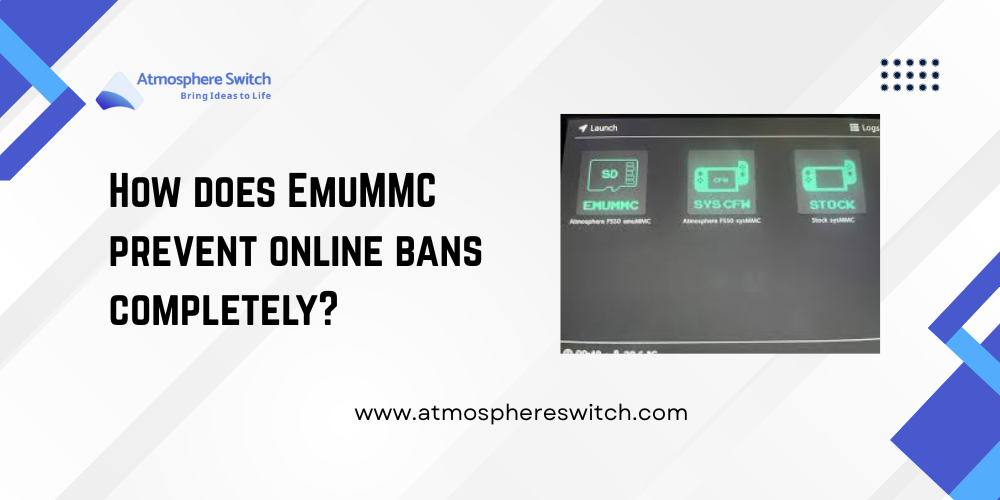
How does EmuMMC prevent online bans completely?
EmuMMC prevents online bans completely by creating two distinct and isolated environments. The core of ban prevention is maintaining a pristine, untouched SysNAND. When you follow best practices:
- Offline CFW: You always run custom firmware (CFW) inside the EmuMMC.
- Disabled Communications: While in EmuMMC, you block all Nintendo communication (using tools like DNS or firewall rules).
- Clean Online: You only boot into your unmodded SysNAND when you want to connect to the Nintendo network for official game updates or online play.
Since the modding logs never touch the SysNAND, the console never sends incriminating evidence to Nintendo. This is the only reliable way to maintain access to official services while enjoying the flexibility of the Atmosphere Switch CFW.
What are the performance trade-offs with EmuMMC?
The performance trade-offs with EmuMMC are surprisingly minor, especially when using a high-quality, fast SD card. Since the EmuMMC is an operating system running off flash memory on the SD card, it can be slightly slower than the internal NAND chip, particularly during heavy read/write operations like boot-up or large game installations.
However, the difference is often only a few seconds during boot time. In terms of in-game performance (frame rate, loading screens for games running from the SD card), the difference is usually negligible, provided you are using a V30/U3 speed class SD card. The small hit to boot speed is a worthwhile sacrifice for the ironclad protection that EmuMMC provides.
Why is EmuMMC installation mandatory for safety?
EmuMMC installation is mandatory for safety because it provides the only logical partition where you can safely install and run homebrew applications. Without EmuMMC, your only alternative is to run CFW directly on your SysNAND. Every time you launch a homebrew application, every time you install a non-official game, and every time the system writes a temporary file, that activity is logged to the internal chip.
Since Nintendo’s servers aggressively check these logs, not installing EmuMMC is essentially inviting a ban. By setting up the EmuMMC, you create a virtual machine for modding, ensuring that the critical, ban-sensitive areas of your console remain clean and stock. To learn more about the initial setup, you can refer to our guide on [How to Recover from Boot Errors / Hekate Launch Failure] (assuming you’re past the initial setup) or the original CFW installation guide.
How is EmuMMC Configured and Managed?
The EmuMMC configuration is handled by the initial setup process, primarily through the Hekate bootloader. Hekate is essential because it is the tool that partitions your SD card and creates the EmuMMC copy. It then acts as the central traffic cop, allowing you to choose whether you want to boot into the clean SysNAND (for online play) or the isolated EmuMMC (for CFW use). Proper management involves understanding the file structure and ensuring that the two environments never cross paths.
What is the best SD card format for EmuMMC?
The best SD card format for EmuMMC is typically exFAT, although FAT32 is often recommended for maximum stability, especially on older firmwares. The choice affects how you partition the card:
- FAT32: The most stable file system for the console itself. It’s often required for the bootloader section. However, it cannot handle individual files larger than 4GB, which is problematic for large game backups.
- exFAT: Supports large files (>4GB) but has been known to be slightly less stable.
The EmuMMC itself can be created either as a large, hidden file on the SD card (File-Based EmuMMC) or as a separate, visible partition on the card (Partition-Based EmuMMC). While Partition-Based is technically faster, File-Based is usually simpler to set up and manage. The crucial factor is that your SD card must be large enough—typically 128GB or more—to comfortably fit the EmuMMC copy (around 32GB) plus all your games and data.
How does Hekate manage and launch EmuMMC?
Hekate is the gateway that manages and launches EmuMMC. When you inject the Hekate payload into your Atmosphere Switch console, Hekate takes control before the console’s operating system loads. The Hekate menu presents you with explicit boot options:
- Stock (SysNAND): This launches the official, clean firmware directly from the internal chip. You use this for online gaming.
- CFW (EmuMMC): This launches the custom firmware environment from the copy on your SD card. You use this for modding and homebrew.
Hekate also manages the creation of the EmuMMC in the first place, using its tools menu to read the SysNAND and write the copy to the SD card. Without Hekate, switching safely between the two environments would be impossible.
Why must I keep my EmuMMC and SysNAND separate?
You must keep your EmuMMC and SysNAND strictly separate to avoid a “dirty” SysNAND—the primary cause of online bans. This separation is achieved through two main rules:
- Do Not Boot CFW on SysNAND: Never select the CFW option if it is configured to load on the internal SysNAND. Always choose the CFW option that explicitly points to the EmuMMC.
- Block Communications: Within your EmuMMC CFW setup, you must configure network blocking rules (often done automatically by Atmosphere Switch with exosphere configuration) to ensure no communication ever occurs with Nintendo servers while modded.
This duality ensures that all your modding activities are contained within the isolated bubble of the EmuMMC, while the internal SysNAND remains clean and safe for official online use.
What Are the Risks of Modding SysNAND?
The risks associated with modding SysNAND are severe, immediate, and often irreversible. SysNAND modification involves writing unauthorized code and files directly onto the console’s internal memory. This action triggers internal logging systems designed by Nintendo to detect such tampering. Once detected, the resulting punishment is severe, impacting the console’s ability to ever use official services again.
Why does SysNAND modding result in an instant ban?
SysNAND modding results in an instant ban because it provides Nintendo’s servers with definitive proof of system alteration. When you install CFW directly onto SysNAND, the console’s internal flash memory contains foreign, unverified boot files. When the console periodically connects to the internet, it reports the internal state of the NAND chip to Nintendo. The presence of non-official files or system titles that have been pirated, immediately triggers the automated ban wave.
The ban is specifically tied to the console’s unique ID, meaning the ban is permanent for that piece of hardware. This is why EmuMMC is so vital; it shields the SysNAND from these unauthorized file writes, preserving its clean state for online use.
What steps should I take if I accidentally modded SysNAND?
If you suspect or know you have accidentally modded your SysNAND, you must immediately take defensive steps, though it may already be too late to prevent logging. The goal is to minimize future logging and prevent further damage.
- Disconnect Immediately: Disconnect the console from Wi-Fi and Bluetooth entirely.
- Create a Backup: If you haven’t already, immediately use Hekate to create a complete NAND backup of your current system state. This is your only lifeline for potential future repairs.
- Clean SysNAND: Perform a factory reset or restore a clean backup of your SysNAND if you have one. This helps remove user data, but the internal logs may remain.
- Transition to EmuMMC: The moment the SysNAND is cleaned, switch exclusively to EmuMMC for all future CFW use. Never boot into CFW on SysNAND again.
While an existing log file may trigger a ban later, following these steps ensures you don’t create new logs, giving you the best possible chance to keep your console online, even if only for a limited time.
Conclusion: Safety First, Performance Second
For anyone engaging with the Atmosphere Switch CFW, the answer to the EmuMMC vs SysNAND question is clear: EmuMMC is mandatory. While modifying your internal SysNAND may seem easier at first, it guarantees that Nintendo will detect and ban your console from all online services eventually.
By setting up the EmuMMC, you are creating a professional, isolated, dual-boot environment that protects your console’s ability to play official games online while giving you the freedom to explore custom firmware safely. Invest the time in the proper setup; the safety is well worth the effort.
FAQs: Quick Setup Questions
Q: How much space does the EmuMMC require on my SD card?
A: EmuMMC requires approximately 32GB of space on your SD card, as it is a complete copy of the console’s internal memory. Therefore, a 128GB SD card is generally the minimum recommended size to accommodate the EmuMMC and your games.
Q: Can I update my EmuMMC and SysNAND separately?
A: Yes, and you must update them separately. You update the SysNAND by booting into the official firmware and using Nintendo’s official update feature. You update the EmuMMC by manually installing the firmware files while in CFW (after the official firmware is released). Keeping them synchronized is crucial for compatibility.
Q: If my EmuMMC fails or gets corrupted, does my SysNAND get damaged?
A: No. If your EmuMMC gets corrupted or fails, it is an isolated event. Since it’s only a file or partition on the external SD card, you simply delete the corrupt EmuMMC folder and create a new one. Your internal SysNAND remains safe and untouched, ready to be booted cleanly.
Q: Can I transfer my game saves between EmuMMC and SysNAND?
A: Yes, you can transfer legitimate game saves from your clean SysNAND to your EmuMMC. However, you should never transfer modded or unofficial saves from EmuMMC to SysNAND, as this is another way to trigger a ban flag in the SysNAND logs. Use dedicated save management homebrew tools for this process.
Latest Post: